How OpenClaw turns every call into ClickUp tasks before you finish your coffee
Call ends, transcript pulled, owners resolved, tasks created in ClickUp, alert sent. Five minutes, hands-free. The Call Processor workflow and the confidence threshold that keeps it from spamming your project tool.
 Michael PansoliniApril 26, 20266 min read
The expensive part of a meeting is not the meeting. It is the next two hours.
Somebody types up a recap. Somebody else drafts the action items. Tasks get assigned in Slack and then forgotten because they are not in the actual project tool. By Friday, half the meeting did not happen in any operational sense.
The Call Processor is the OpenClaw workflow that turns "what we agreed to" into "what is now in the queue" without anyone touching a keyboard. This post is the walkthrough: how it resolves owners, why it cites every task back to the transcript, and what the confidence threshold is for.
What is automatic call processing?
Automatic call processing is a workflow that takes a meeting recording and produces three things: a structured summary, a list of extracted action items, and concrete tasks created in a project management tool. The agent listens for commitments, resolves who owns each one, picks a due date, drafts the task description, and assigns it.
The category exists because the gap between "we agreed in the meeting" and "it shows up in the project tool" is where most teams lose execution velocity. Recap drift compounds across meetings. By the time you have ten meetings a week, the loss is structural, not anecdotal.
Why "summarize this call" is not enough
Most call-summary tools stop at the summary. The summary is the easy part.
The hard part is the leap from "we agreed Mike would handle the deck" to "task created in the right ClickUp list, assigned to mike.pansolini, due Friday, with a link back to the transcript moment." That leap requires owner resolution, due-date inference, project routing, and a confidence model that knows when to ask instead of guess.
Workflows that skip those steps produce two failure modes: ambiguous tasks ("Mike: handle the deck") that get ignored because nobody knows what list they belong in, and silent hallucinations where the agent invents a commitment that nobody actually made.
How OpenClaw's Call Processor runs
The trigger is the call ending. A webhook from the meeting tool (Zoom, Riverside, Granola, Fathom) fires the moment the recording finishes processing.
-
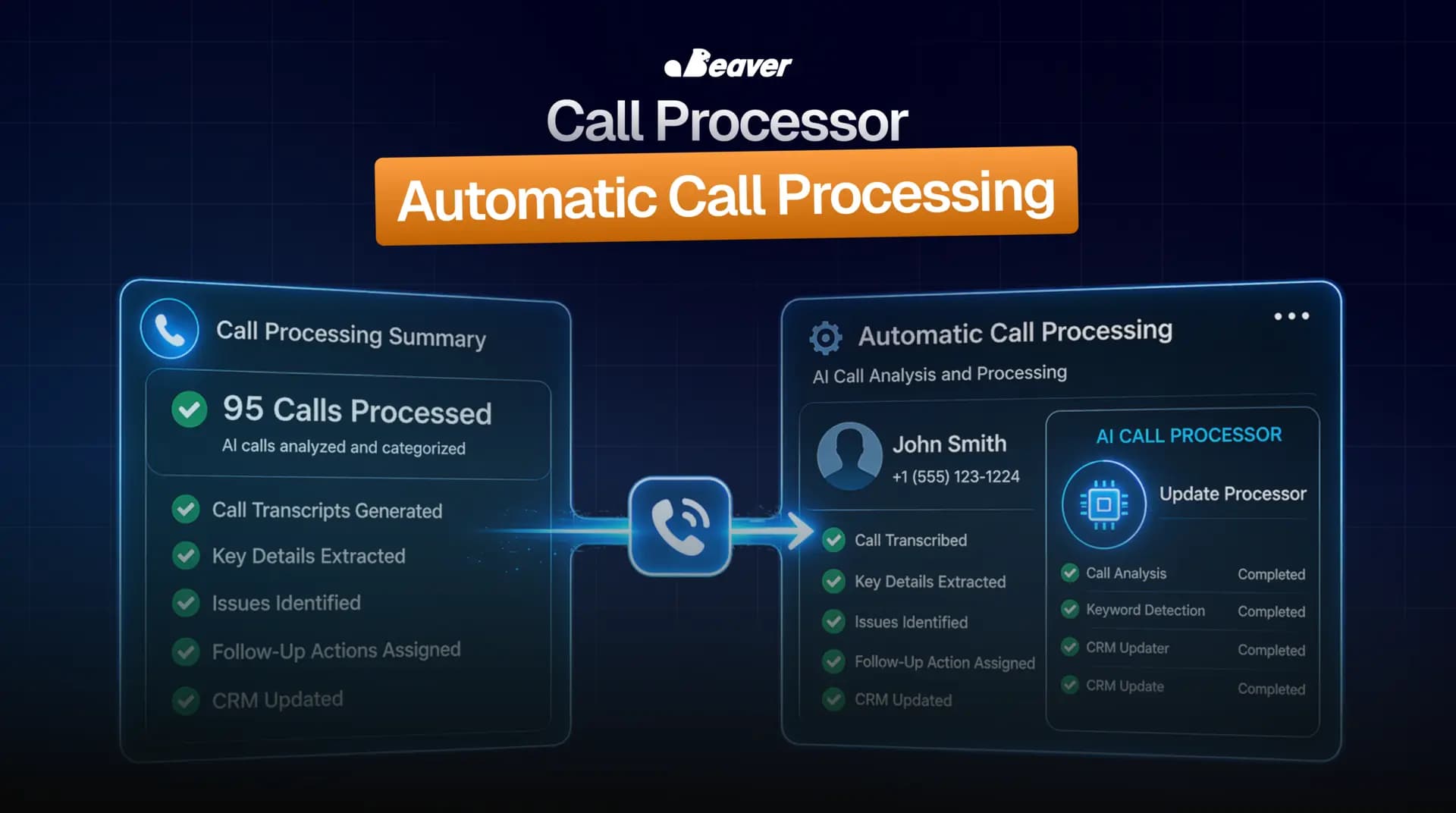
Pull transcript with calendar context. The transcript arrives along with the participant list, the calendar event title, and the call duration. Calendar context matters more than people think. A call titled "Acme Q2 Planning" tells the agent to look for project-shaped action items. "Sales Discovery" tells it to look for follow-up commitments. Without that prior, every meeting looks generic.
-
Generate a structured summary. Not a wall of text. A fixed template: decisions made, blockers raised, follow-ups owed, and one "biggest takeaway" line. The constraint is what makes the summary useful instead of decorative.
-
Extract action items as their own pass. This is a separate prompt, not a side effect of the summary. Each action item is parsed into who owns it, what the deliverable is, when it is due, and a confidence score on the assignment.
-
Resolve owners against the workspace. "Sarah" is not a task assignee.
@sarah.kimin your ClickUp workspace is. The agent matches names against the workspace user list, with attendees as a tiebreaker. Ambiguous matches surface for human review rather than guessing. -
Create tasks with source citations. Tasks land in the right ClickUp list with the right tags, the right assignee, and a link back to the source transcript. Each task description quotes the moment in the call where the commitment was made.
-
Notify with a review section. A single message goes to the operator: summary at the top, list of created tasks, and a "needs your review" section if anything was below the confidence threshold.
End to end, under five minutes from "call ended" to "tasks assigned."
What we figured out the hard way
Three lessons from running this against real sales and operations meetings.
Calendar context is worth more than the transcript. The single biggest accuracy improvement we made was adding calendar metadata to the prompt. Before that, every meeting looked the same to the model. After that, a "weekly ops sync" produced ops-shaped tasks and a "client kickoff" produced kickoff-shaped tasks.
The confidence threshold is the difference between assistant and noise generator. Our first version auto-created every extracted task. About 15% were duds: misheard names, misattributed commitments, "I will think about that" interpreted as a task. We added a confidence threshold of 0.85. Anything below it goes into a "needs review" list. The auto-created queue went from 15% noise to under 2%.
Source citations defuse arguments. The first time someone said "I never agreed to that," we pulled up the transcript line in three seconds. The argument ended. Citation links are now non-negotiable on every task we create. They cost almost nothing in tokens and save hours of "did I say that" cycles.
When Call Processor is the right tool
This workflow earns its setup when:
- You run more than five external meetings a week
- Recap drift is killing you
- You already use a project tool (ClickUp, Linear, Asana, Jira) where tasks should live
It is the wrong call when meetings are purely exploratory and there are genuinely no action items. Forcing this on brainstorming calls produces task soup. We have a per-meeting opt-out for that reason.
The numbers
For an operator running a sales or operations function:
- 30 to 45 minutes of post-call processing per meeting, eliminated
- The compounding "what was I supposed to do?" tax across team members
- The greater than 50% drop-off rate of action items that get verbalized but never written down
The compounding win is meeting density. When the recap is free, you stop avoiding meetings that would have been useful, and you stop padding meetings to make them worth it.
FAQ
Which meeting tools are supported? Zoom (cloud recording), Riverside, Granola, Fathom, and any tool that produces a transcript with speaker labels. Custom integrations take roughly an afternoon to wire up.
Does it support project tools other than ClickUp? Yes. Linear, Asana, Jira, Monday, and Trello are all supported. The owner-resolution and routing logic is project-tool agnostic.
Can I run this on internal-only calls? Yes. The auth scope is configurable. We can constrain the workflow to internal meetings only if you do not want client calls processed.
What happens if the agent assigns a task to the wrong person? The task carries the source-quote citation, so the wrong assignee can reassign in seconds. Patterns of misassignment feed back into the owner-resolution layer over time.
Wire it up to your meeting stack
If you want Call Processor running against your specific project tool and meeting recorder, browse the rest of the community use cases or book a white-glove install.