How OpenClaw files renovation photos before they hit your camera roll
Forward a job-site photo. It analyzes the work, asks one clarifying question if needed, renames the file deterministically, and drops it in the right Drive folder. The full Progress Photo Filer workflow.
 Michael PansoliniApril 24, 20266 min read
Construction and renovation work generates photos at a rate spreadsheets cannot keep up with.
A normal week on a single property: thirty progress photos, ten finish photos, a dozen "issue" shots, a handful of receipts photographed against a truck dashboard. Multiply that by five active properties and one foreman. By Friday the camera roll is a 600-image swamp where nobody can find the picture of the leaking valve from Tuesday.
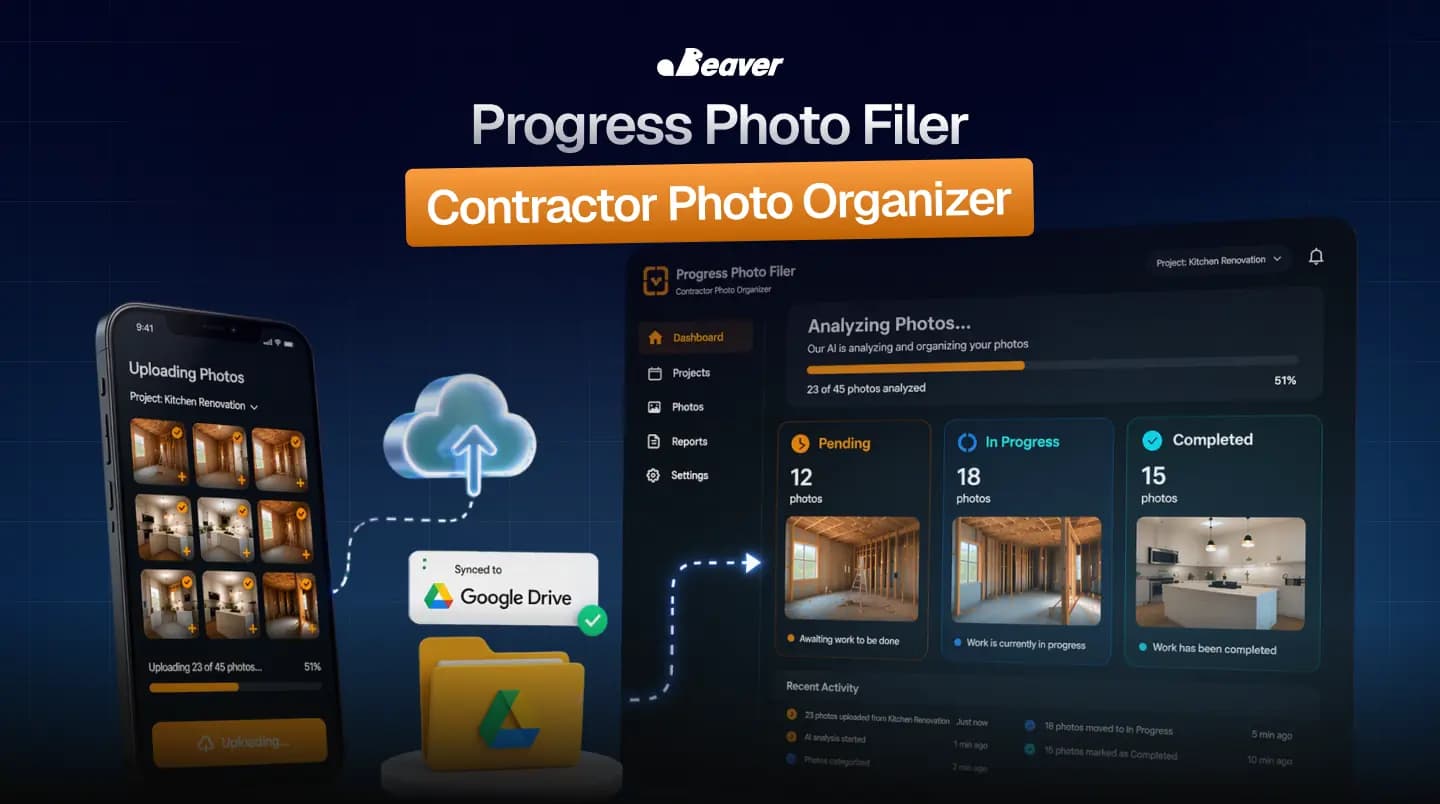
The Progress Photo Filer is the OpenClaw workflow that fixes the source of the problem. Photos arrive with metadata before they get stored, not after. This post is the walkthrough: how it classifies, how it asks questions, and what we learned from running it against real job sites.
What is automated photo filing?
Automated photo filing is a workflow where incoming images are classified, renamed, and stored to a deterministic location without human triage. The agent reads the image, the message it arrived with, the sender, and the timestamp. It decides which property the photo belongs to, what stage of work is shown, and which folder the file belongs in. It renames using a fixed convention. It uploads.
The category exists because manual photo filing does not scale past two foremen. By the time a third person is sending photos with no shared convention, the archive becomes unsearchable.
Why most photo automations fail
Three patterns we see repeatedly in attempts at this category.
Over-reliance on the vision model. Asking "what is in this photo?" gets you a generic description. It does not get you "412 Maple Street, second-floor bathroom, rough-in plumbing stage." The pixels alone do not contain that context.
Asking too many questions. Some workflows ask the foreman for property, stage, room, and category in a single message. The foreman stops using it within a week. The interaction has to feel lighter than manual filing, not heavier.
Letting the agent reorganize folders. A workflow that creates folders or "tidies up" the archive will eventually delete something it should not. We have a hard rule: the folder structure is human-owned. The agent files into folders. It does not create them.
How OpenClaw's Progress Photo Filer runs
The trigger is the photo itself. Foremen forward photos from the field into a chat thread or a watched folder.
-
Receive context, not just pixels. The agent grabs the image, the message body if any, the sender, the thread context, and the timestamp. Free-form captions are usually more accurate than what the vision model can extract from pixels alone.
-
Vision pass. A multimodal pass identifies what is in the frame, what stage of work is represented, whether anyone is visible, whether this is an issue or a milestone, and whether there is text in the frame (work orders, addresses, receipts).
-
Resolve the property. Property is inferred from message context, address-in-frame, or sender's typical assignments. We rank these in that order because messages are highest signal.
-
Ask one question, only if needed. If the property cannot be inferred with high confidence, the agent asks one clarifying question in the same thread. "Is this 412 Maple or 219 Oak?" If it can infer, it does not ask. If multiple things are ambiguous, it asks for the most informative one.
-
Classify into a fixed schema. Property, stage (rough-in, finish, punch-list, issue), room, work category (electrical, plumbing, drywall, framing, etc). Each field comes from a closed list. No free-form labels.
-
Rename deterministically.
412-maple-rough-in-electrical-2026-04-24-001.jpg. No spaces. No emoji. No surprises six months later when someone searches for it. -
File into the human-owned structure.
Properties / [Address] / [Stage] / [Date]. The agent files. The agent does not create folders that did not exist before. -
Confirm in the thread. A one-line confirmation lands back with the new filename and a Drive link.
What we figured out the hard way
Three things from running this on five active job sites for three months.
The single-question rule is non-negotiable. Our first version asked for property, stage, and category if confidence was low on any of them. Adoption dropped within two weeks. We constrained it to ask the one most informative question, and adoption recovered. Foremen will tolerate one question. They will not tolerate four.
Deterministic naming beats clever tagging. We spent a sprint on richer Drive metadata tags. None of it survived. The naming convention is what people actually search by, on phone, on desktop, six months later. Tags are a nice-to-have. Names are the archive.
The "issue" stage needs special handling. Issue photos (a leak, a broken fixture, a code violation) need to be findable fast and cross-referenced from the change-order workflow. We added a separate notification path so issue-tagged photos also alert the project manager, not just file silently.
When Progress Photo Filer is the right tool
This workflow earns its setup when:
- You manage two or more active job sites
- Photo volume has crossed the "I cannot find the one I need" threshold
- You need an audit trail for change orders, insurance, or punch-list disputes
It is the wrong call for one-off projects with low photo volume. At that scale, manual filing is faster than the configuration.
The numbers
For a contractor or property manager running multiple active sites:
- 2 to 4 hours of weekend photo cleanup, eliminated
- The "send me that picture again" Slack tax across foremen, subs, and the office
- The roughly 30% of photos that quietly get lost in someone's camera roll forever
The compounding win shows up on disputes. When every photo is timestamped, addressed, and filed in real time, change-order arguments end in seconds instead of "let me look through my phone."
FAQ
What if the foreman sends a photo with no message? The agent infers property from the foreman's typical assignments and the time of day, then asks one question if confidence is low. If confidence is high enough, it files silently and confirms after.
Does this work with iCloud or Dropbox instead of Drive? Yes. The storage layer is configurable. Drive is our default because most contractor teams already use it for plans and contracts.
Can the agent see photos that contain people? It can identify that a person is in the frame, but it does not store facial-recognition embeddings. The classification is about the work, not the worker.
What happens to issue photos? They are filed normally and also trigger a notification to the project manager so they do not sit in the archive unread.
Set it up against your job sites
If you want Progress Photo Filer running against your foremen's chat thread or shared inbox, browse the rest of the community use cases or book a white-glove install.