From compliance call to live site in under an hour: an OpenClaw use case
A 3pm compliance call. By 4pm: three new legal pages live in WordPress, forms updated, and the "we are ready" email drafted. The Site Fixer workflow, and why we kept the auth boundary narrow.
 Michael PansoliniApril 23, 20266 min read
Compliance work is a queue you cannot delegate the way you want to.
Your SMS provider will not approve outbound texting until you have a Terms of Service, a Privacy Policy, and an explicit opt-in flow. Your payments processor wants a refund policy on the public site. The call where you find this out is twenty minutes long. The fix is "easy" (three pages, a form update, a typo here and there) but it is also a developer ticket, which means it sits for two weeks behind real work.
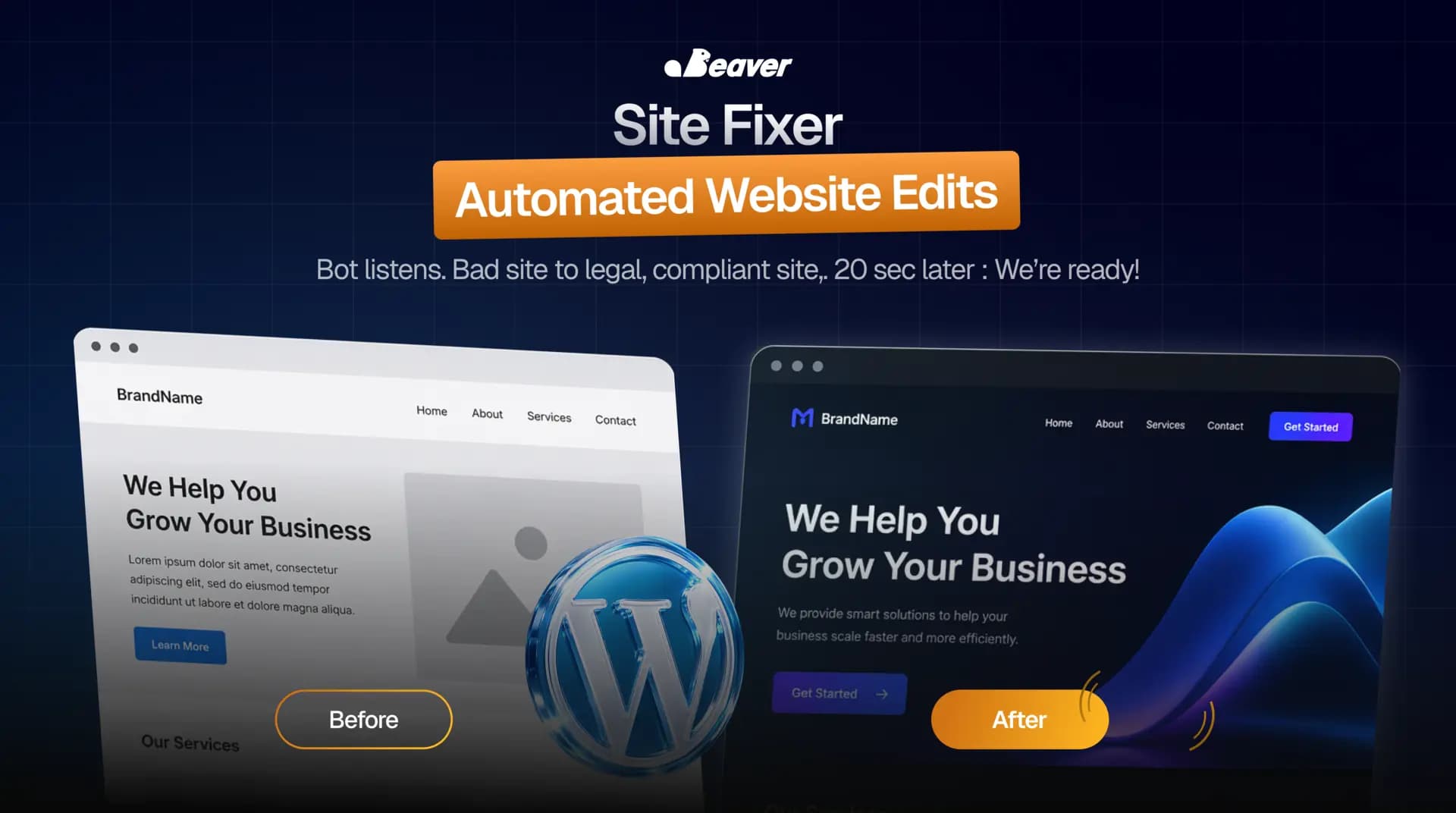
The Site Fixer is the OpenClaw workflow that closes the gap. The compliance call ends. The site is ready before you finish the meeting recap.
This post is the walkthrough: what it does, what its auth boundary looks like, and why the publishing step is intentionally a manual approval.
What is automated website edit automation?
Automated website edit automation is a workflow where an agent listens to a structured input (a meeting transcript, a compliance memo, a customer email) and produces concrete CMS changes against a target site. The agent identifies what needs to change, drafts the change as a diff, applies it through a scoped admin API, and surfaces what it did for human review before publish.
The category includes everything from "fix three typos" to "build a privacy policy from a vetted template." The hard part is not the editing. The hard part is doing it without giving an LLM root on your CMS.
The two ways this workflow goes wrong
Most "AI website editor" demos break the second they meet a real WordPress install.
The first failure mode is generic content. The agent writes a privacy policy from scratch and produces something that sounds reasonable, would not survive a real legal review, and exposes you to liability if you ship it. Privacy policies, terms, and refund policies are templates with company-specific placeholders, not free-form drafting tasks.
The second failure mode is over-broad permissions. Demos that "let the AI manage your site" usually mean the agent has admin credentials with no scope limits. The blast radius of a hallucination is the entire site. We do not let it work that way.
How OpenClaw's Site Fixer runs
The trigger is the call itself. A meeting transcript drops into the agent's inbox the moment Zoom, Riverside, Granola, or Fathom finishes processing.
-
Listen for site needs. The transcript is parsed for explicit asks ("we need a privacy policy") and implicit ones ("you cannot say 'free trial' on the homepage"). Implicit asks are usually the ones that get missed by humans.
-
Map every finding to a concrete edit. Each item becomes a structured operation: new page, page revision, form change, link update, content tweak. Each carries a target URL or page slug.
-
Draft against vetted templates. Long-form legal content (privacy, terms, refund policy) is drafted from a known template with placeholders for entity name, jurisdiction, contact, and similar specifics. The model fills the placeholders. It does not write the law.
-
Authenticate with a scoped token. The agent logs into WordPress through an admin API token that is scoped to content APIs only. No plugin installs, no theme edits, no user management. The blast radius if something goes wrong is "a page got created with bad copy," not "the site is down."
-
Apply as drafts. Pages get created, forms updated, internal links added. Nothing is published. Everything sits in the draft state.
-
Close the loop with a review document. A summary lands in the same thread as the transcript: every change made, every URL affected, the diff for any text edit, and a "we are ready" email already drafted with the relevant compliance items cited and the new live URLs interpolated. You review, hit publish, hit send.
One compliance call. One conversation. No developer.
What we figured out the hard way
Three things that bit us before the workflow was production-ready.
The publishing step has to be deliberate. Our first version auto-published after a confidence threshold. We rolled that back the third time a draft went live with a typo'd CTA. The single approval gate is the difference between "useful tool" and "lawsuit waiting to happen."
Internal links matter more than the page. The agent kept publishing privacy pages that did not show up in the footer because the menu was managed separately in WordPress. We expanded the workflow to update the menu, the footer, and the sitemap whenever a new page is added. Without that, the page exists but nothing links to it.
The legal review still has to happen. Vetted templates do not eliminate legal review. They reduce it from "draft this from scratch" to "confirm the placeholders are right." We made this explicit in the review document so it does not get skipped.
When Site Fixer is the right tool
This workflow earns its place when:
- You run a small to mid-size site (WordPress, Webflow, Framer)
- The bottleneck is not design but copy and structural updates
- Compliance, legal, and partner asks pile up faster than your developer can clear them
It is the wrong fit for redesigns, complex layouts, or anything that requires custom code. The agent edits the site you have. It does not build a new one.
The numbers
For a small operations team, this typically absorbs:
- 1 to 3 hours per compliance event
- The two-week ticket queue that quietly costs you SMS approval, payment processing, or partner deals
- The developer context-switch tax (your engineers stay on real work)
The compounding win is operational. When a compliance ask is no longer a multi-week ticket, you stop avoiding the conversations that generate them.
FAQ
Which CMSs does it support? WordPress (admin REST API), Webflow (CMS API), and Framer (CMS API). Custom CMSs can be integrated with a thin adapter.
Can it touch e-commerce data, products, or pricing? No, by default. The auth scope excludes commerce APIs. We can extend scope per install if there is a legitimate need, with extra approval gates.
What if the transcript is wrong about what is needed? The review document quotes the transcript span every change was driven from. If the spec was wrong, the change is too, and the review surfaces it before publish.
Does it work for non-compliance use cases? Yes. The transcript-to-edits pattern is general. We have used it for product launch updates, post-podcast site refreshes, and seasonal campaign edits.
Wire it up to your CMS
If you want Site Fixer running against your specific stack, see the rest of the community use cases or book a white-glove install.